
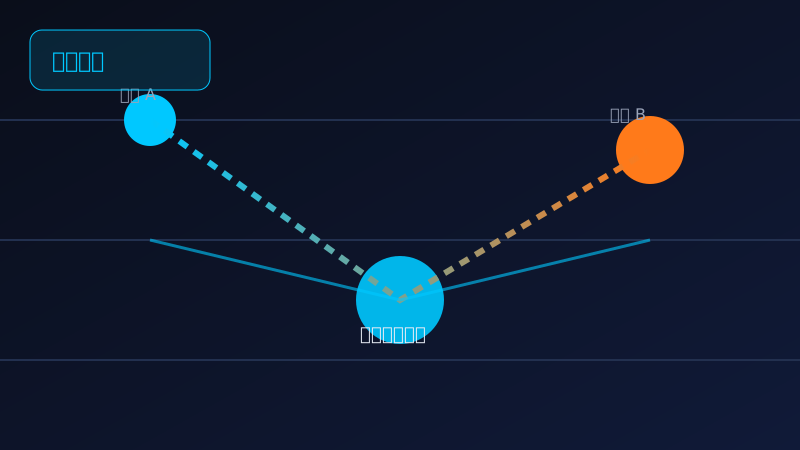
● 200+ Global Nodes · Military-grade Encryption · All Platforms
KuaiMiao VPN
KuaiMiao VPN
One-Click Fast Global Access
KuaiMiao's smart routing engine picks the best line automatically. Gaming, streaming and work traffic reach the destination instantly with full encryption.
5M+
Global Users
200+
Premium Nodes
99.9%
Uptime
Current Node · Singapore
Connected
Latency 28ms · Download 86.4 Mbps
Smart RoutingEnabled
EncryptionAES-256
This Month42.6 GB
Hong Kong18ms
Tokyo32ms
Los Angeles128ms
Core Features
Six capabilities for simpler acceleration
⚡
Smart Acceleration Engine
Monitors global node quality in real time and picks low-latency routes automatically.
🌐
Global Node Network
200+ nodes across 60+ regions in Europe, America and Asia.
🔐
Military-grade Encryption
AES-256 end-to-end encryption with a strict no-logs policy.
🖥️
All Platforms
Windows, macOS, Android, iOS and Linux clients with one account.
🎯
Smart Split Rules
Custom rules route specific apps through the tunnel while others go direct.
📊
One-Click Speed Test
Real-time node latency and bandwidth at a glance.
Notice
KuaiMiao v3.2.0 is released: 12 new nodes and Smart Routing 2.0, with 40% better stability. Read more
Trust
Chosen by millions
5M+
Global Users
200+
Premium Nodes
99.9%
Uptime
7×24
Support
Use Cases
For every scenario
🎮
Gaming
Lower cross-region latency and packet loss for smooth global servers.
📺
Streaming
Instant HD video loading with no buffering.
💼
Remote Work
Stable connections to intranet and overseas SaaS with no drops.
📚
Study Abroad
Smooth access to overseas academic resources and course platforms.
Comparison
KuaiMiao vs other accelerators
Smart Routing Engine
Real-time line selection cuts latency by 62% on average.
Global Premium Nodes
200+ nodes with AES-256 encryption and zero data leaks.
All-Platform Ready
Five clients, one account, no complex setup.
| Dimension | KuaiMiao | Product A | Product B |
|---|---|---|---|
| Free Tier | Daily free time | None | None |
| Nodes | 200+ | 80+ | 120+ |
| Encryption | AES-256 | AES-128 | AES-256 |
| Platforms | 5 | 3 | 4 |
| Support | 7×24 | Business hours | Business hours |
News
Latest updates and tutorials
Reviews
What users say
★★★★★
US server latency dropped from 180ms to 40ms. Smart routing really works.
C
Chen
Gamer · 8 months
★★★★★
Stable video meetings for overseas work. Much more reliable than before.
L
Li
Trade Manager · 1 year
★★★★★
Works on phone, tablet and PC with one account. Highly recommended.
W
Wang
Freelancer · 6 months
FAQ
KuaiMiao FAQ
How do I download and install KuaiMiao?
- Open the site: Visit the KuaiMiao official website and click Free Download.
- Pick version: Choose Windows, macOS, Android or iOS.
- Download: Wait for the installer to finish downloading.
- Install: Follow the wizard until installation completes.
- Sign up: Register with phone or email and log in.
- Connect: Select a node and click connect to start.
How do I connect KuaiMiao?
- Log in: Enter the main screen after login.
- Select node: Pick a low-latency node from the list.
- Connect: Click the connect button to establish encryption.
- Confirm: The UI shows Connected with current latency.
- Keep running: Minimize to tray and use normally.
- Disconnect: Click the button again to disconnect.
What is the difference between free and paid plans?
- Free time: Daily free quota for trial.
- Nodes: Free plan has fewer nodes.
- Bandwidth: Paid unlocks all nodes and higher bandwidth.
- Devices: Paid supports more concurrent devices.
- Support: Paid gets priority support.
- Upgrade: Try free first, then upgrade.
Why does KuaiMiao become slow after connecting?
- Check node: Switch to another node if congested.
- Local network: Confirm your local bandwidth is stable.
- Close tasks: Stop bandwidth-heavy downloads.
- Smart routing: Enable split routing for direct traffic.
- Restart: Reboot router and client.
- Support: Contact support with logs if needed.
Which devices does KuaiMiao support?
- Windows: Windows 10 and above.
- macOS: Apple macOS clients.
- Android: Phones and tablets.
- iOS: iPhone and iPad.
- Linux: Mainstream desktop distros.
- Sync: One account across devices.
Is KuaiMiao safe? How is privacy protected?
- Encryption: AES-256 military-grade encryption.
- No-logs: Strict no-logs policy.
- Tunnel: All traffic through encrypted tunnels.
- Compliance: Security certifications.
- Whitepaper: Public security whitepaper and audits.
- Permissions: Review and manage permissions anytime.
Ready for one-click access?
Download KuaiMiao now and enjoy a fast, secure global connection.
Free Download View FAQ